

Pillarworks · How it works
From the first import to the finished GIR file.
How your tax department gets started with Pillarworks – and how a fiscal year runs in it, with the steps and terms of the application.
What this means for your tax function
- One processProvision and minimum tax report in one process on one data set – to the finished GIR XML file in the authority’s format.
- On recordThe locked year, the claim per jurisdiction and the calculation steps stay on record.
- Your dataYou start with the data your tax department already has – no integration project.
Part 1 · Getting started
Four steps. To the first provision.
You start with the data your tax department already has – no integration project and no ERP integration.
-
Demo on a fictional group
One hour, online, with one of the founders – using the fictional group Aurora Energie SE. You send us no data and prepare nothing.
- Aurora Energie SE · fictional
ResultA picture of the process
-
Import or set up the structure
A new project in a few steps: group, fiscal year, scope, calculation approach, quick start. If you have a GIR, import it – the group structure and data are then pre-filled.
- Import from GIR filing
- Group & structure
ResultGroup structure
-
Import the country reports
Country-by-country reports via Excel template, as XML or entered manually – per year, one source for the safe harbour tests and the GIR. The German formats and the OECD format of the country-by-country report are supported.
- Excel template
- Import country report (XML)
ResultCountry reports per year
-
The first provision
Safe harbour tests per jurisdiction, full calculation where needed – resulting in the top-up tax provision for the consolidated accounts, per parent entity and jurisdiction, before and after safe harbour.
- CbCR safe harbour
- Provision & analysis
ResultProvision
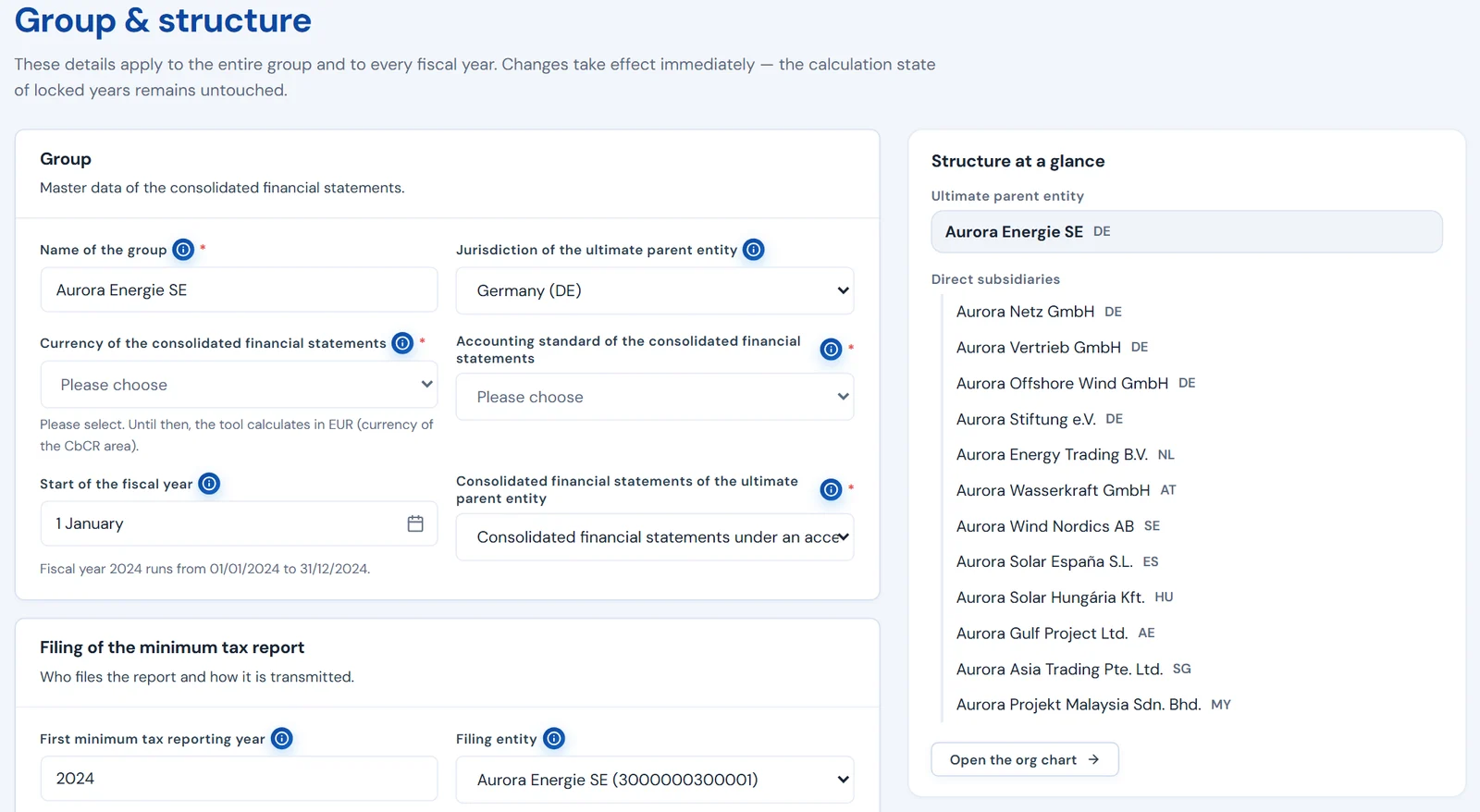
Step 02 · Group & structure · excerpt · fictional values 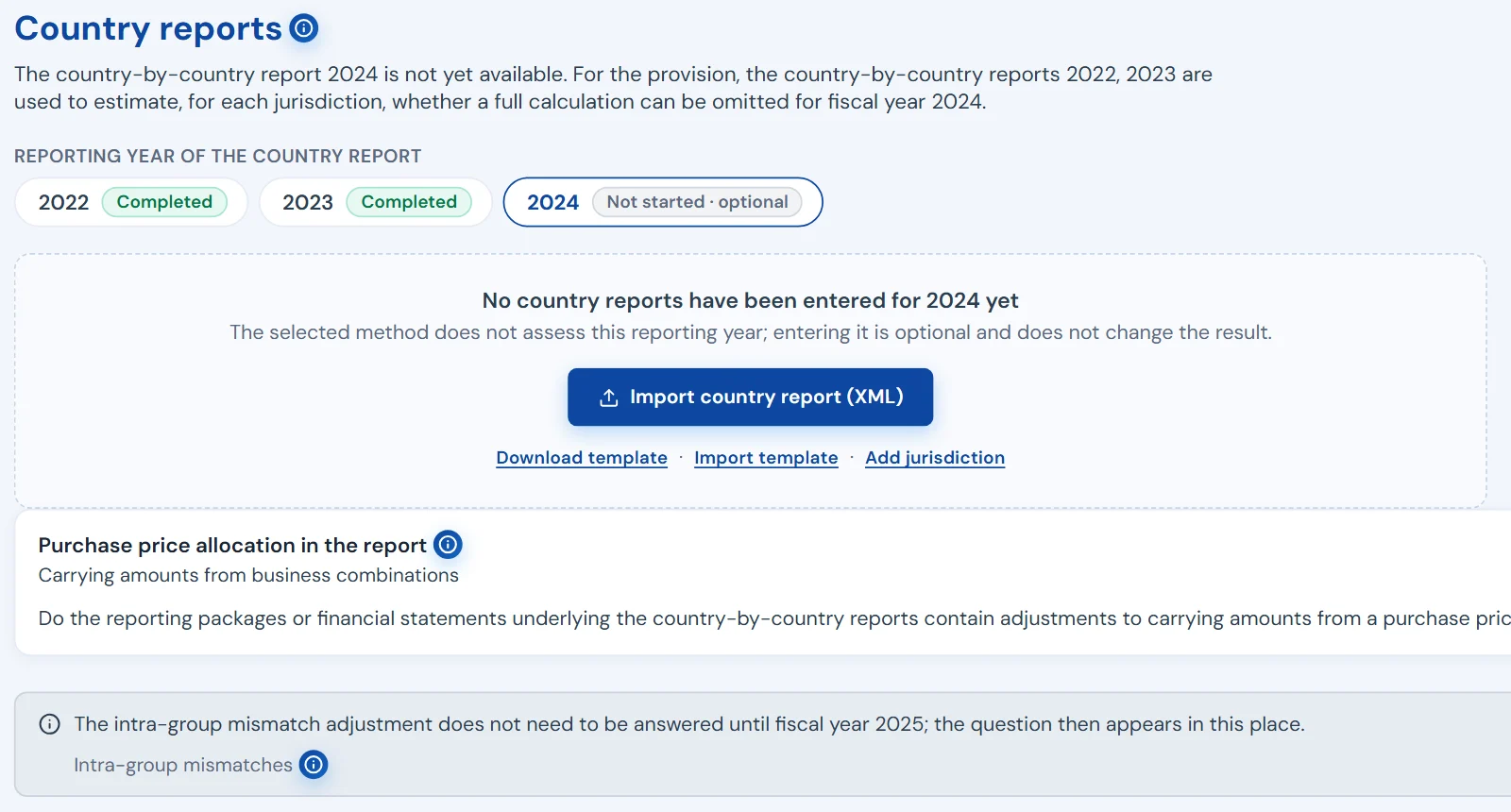
Step 03 · Country reports · excerpt · fictional values 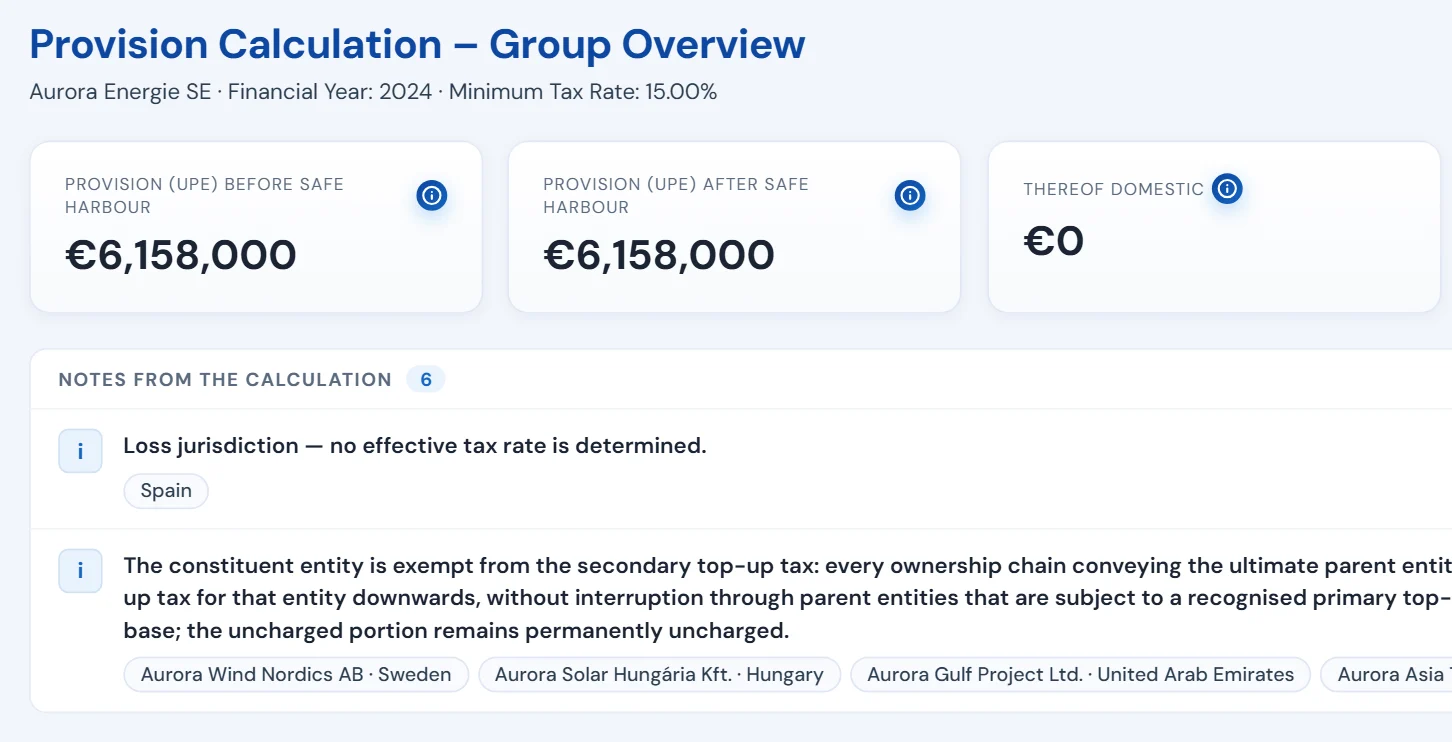
Step 04 · Provision calculation · excerpt · fictional values
Part 2 · A year with Pillarworks
One year, three phases. Locked, transferred, carried forward.
This is how a fiscal year runs in Pillarworks – from the provision to the next year. Every step carries the name it has in the application.
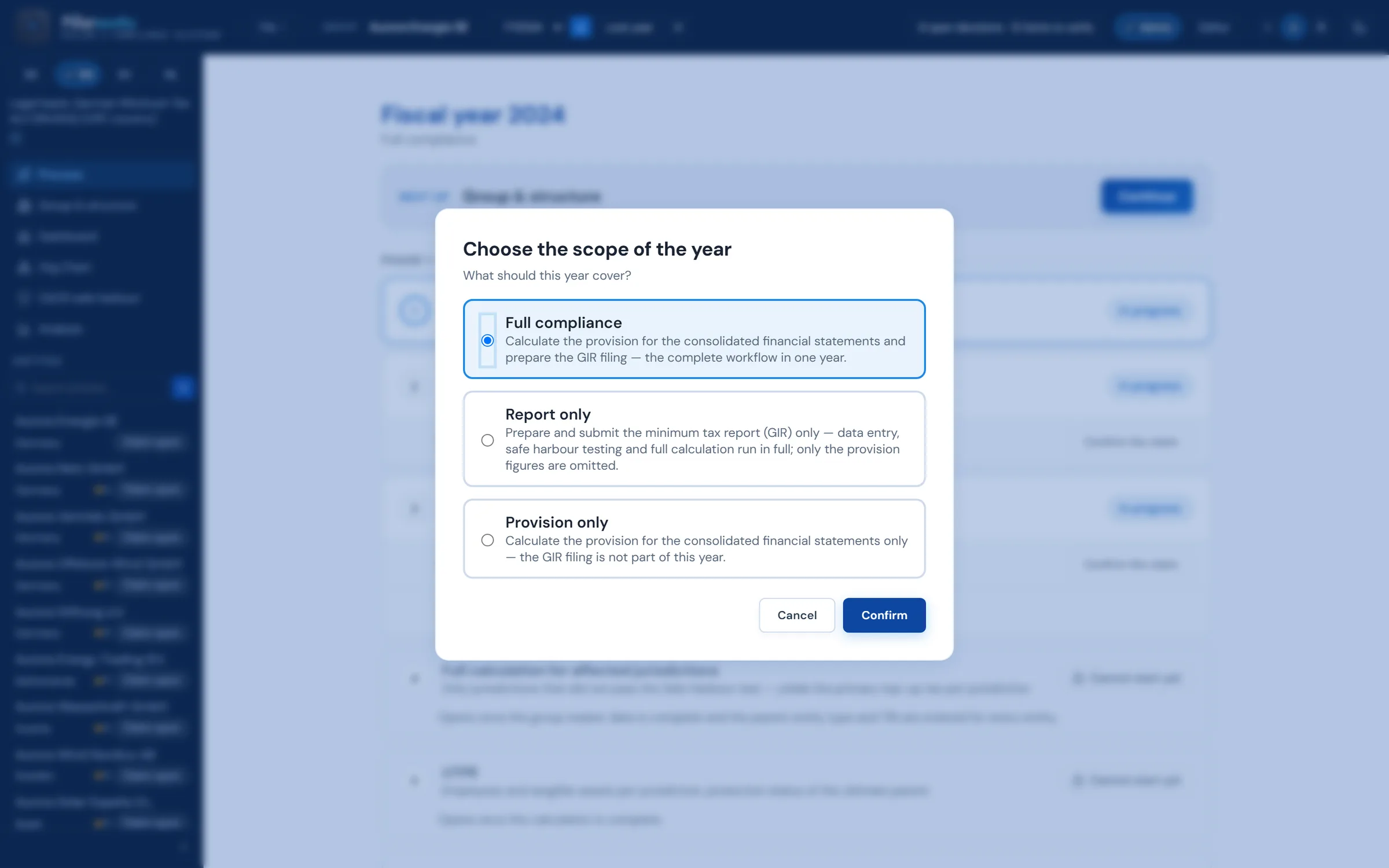
Scope of the year
Provision for the consolidated accounts and the minimum tax report – the complete process in one year.
- Full compliance
- Provision for the consolidated accounts and the minimum tax report – the complete process in one year.
- Provision only
- Only the provision for the consolidated accounts – the minimum tax report is not part of this year.
- Report only
- Data entry, safe harbour testing and full calculation run in full; only the presentation of the provision is omitted.
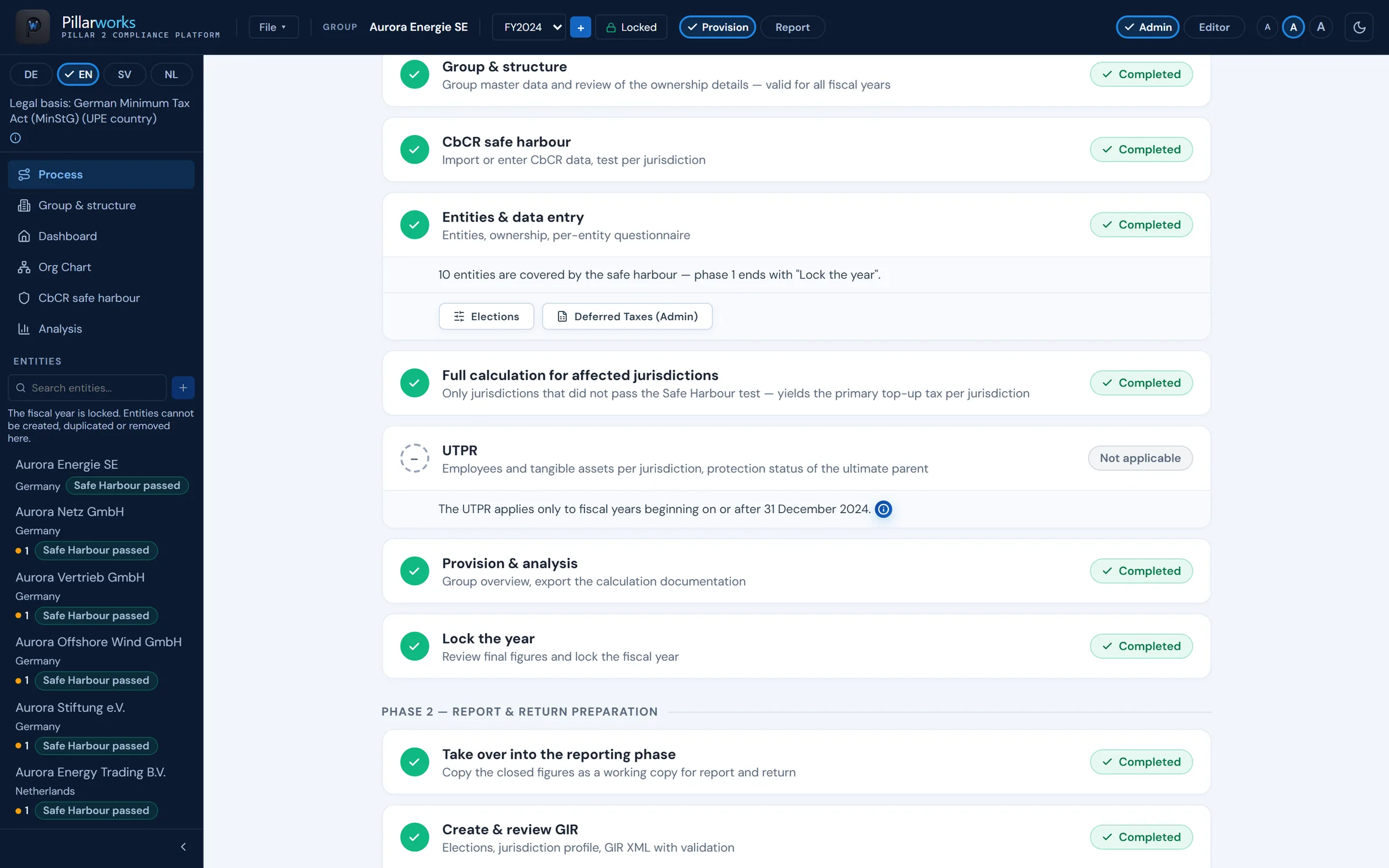
- 01 Phase 1 – Provision Top-up tax provision for the consolidated accounts based on the data available, with the safe harbour approximation using prior-year CbCRs. Phase 1 without presenting the provision
- 02 Lock the year The provision computation is retained as evidence.
- 03 Take over into the reporting phase The reporting phase works on a working copy; the locked provision stays untouched.
- 04 Phase 2 – Report & return Safe harbour tests on the fiscal year’s CbCR, full calculation on actual figures and “Create & review GIR” on the working copy: the XML file is only produced once the check against the mandatory fields and the implemented validation rules passes without errors.
- 05 Phase 3 – Submission Your group submits the finished file through the channel the authority provides; Pillarworks does not transmit it itself.
- 06 Create the next year with data carry-over Structure and master data carry over into the following year.
The interface shows only the steps the chosen scope needs.
Strategies and test levels
You choose the calculation path. And see which jurisdiction now needs a full calculation.
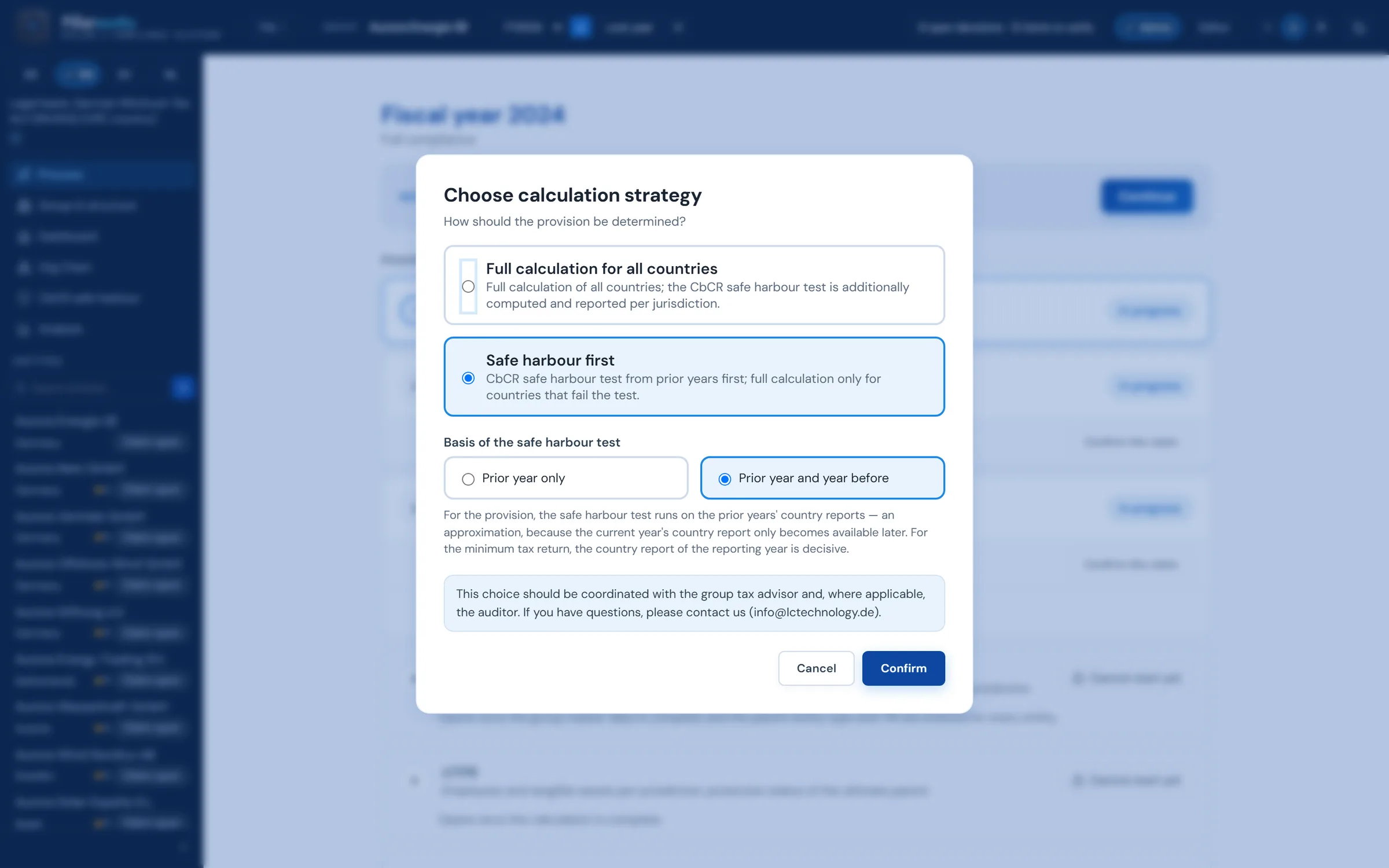
Per year you choose how the provision is determined: compute every jurisdiction in full, or safe harbour first.
01
Full calculation for all countries
Full calculation for all jurisdictions; the CbCR safe harbour test is computed as well and reported per jurisdiction.
- Country A
- Country B
- Country C
- Country D
- Country E
- Country F
safe harbour test computed as well, reported per jurisdiction
02
Safe harbour first
First the CbCR safe harbour test from the prior years; full calculation only for jurisdictions that do not pass the test.
- Country A
- Country B
- Country C
- Country D
- Country E
- Country F
* covered only once the claim is confirmed
In the “Report only” scope the order is fixed: the safe harbour test runs first, the full calculation follows for the jurisdictions that did not pass.
Two test levels
Prior-year approximation. Against the GIR year.
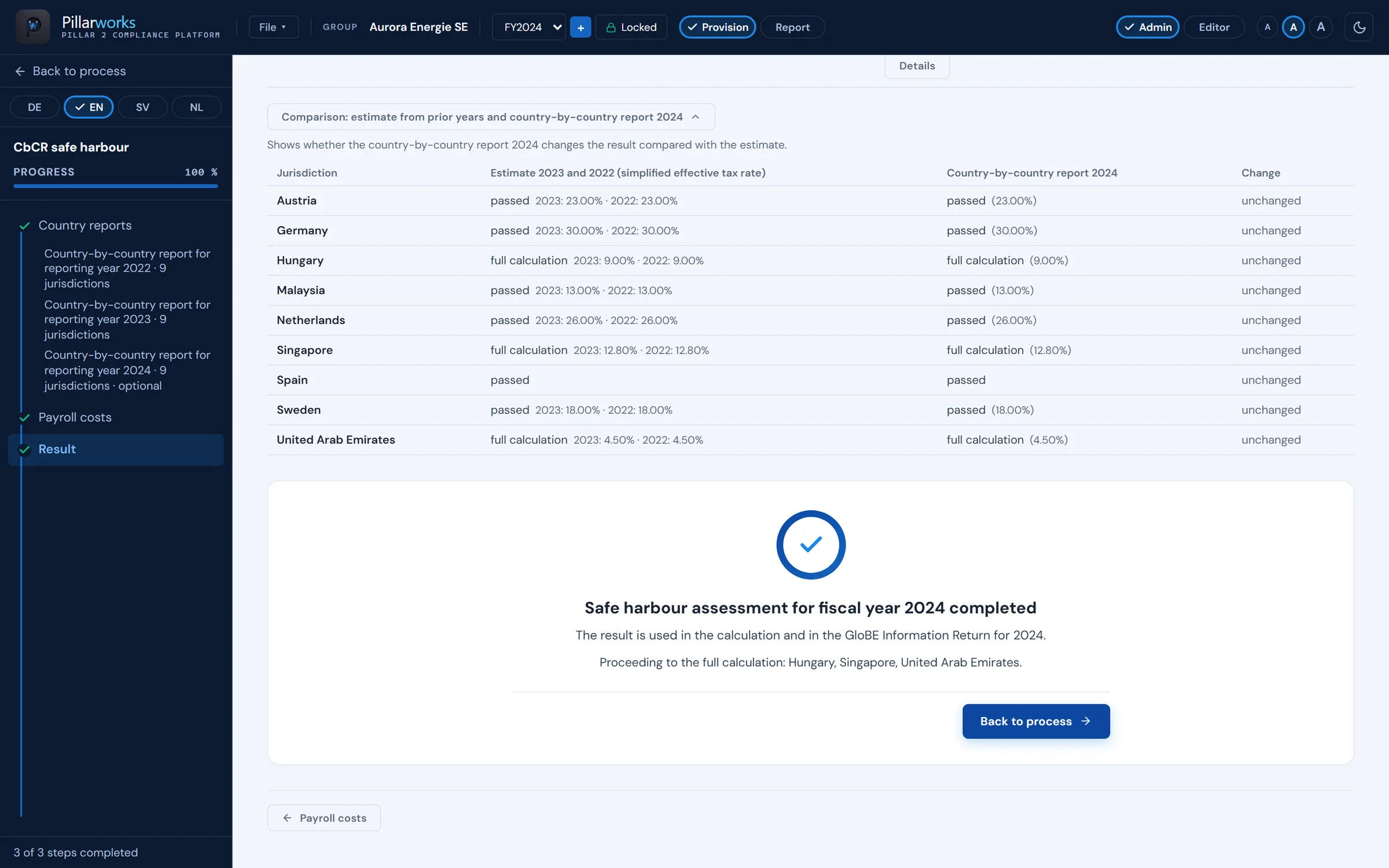
For the close, Pillarworks tests by approximation using the prior-year CbCRs; for the GIR, on the CbCR of the fiscal year. The comparison shows the jurisdictions that require a full calculation on the fiscal year’s CbCR, unlike in the approximation.
| Jurisdiction | Prior-year approximation | GIR year |
|---|---|---|
| Country A | covered | covered |
| Country B | covered | covered |
| Country C | full calculation required | full calculation required |
| Country D | covered | full calculation required now requires full calculation |
| Country E | covered | covered |
Claim per jurisdiction and year
“Once out, always out”. Per jurisdiction, through to the GIR XML.
Whether the relief is claimed is recorded per jurisdiction and year. A passed test that is not claimed: the jurisdiction is computed in full. If the transitional safe harbour is not claimed for a jurisdiction in one year, or the jurisdiction passes no test, it is precluded for that jurisdiction in subsequent years.
| Jurisdiction | Year 1 | Year 2 | Year 3 | GIR‑XML |
|---|---|---|---|---|
| Country A | covered | covered | covered | covered |
| Country B | covered | computed in full Permanently excluded | precluded | precluded |
| Country C | full calculation required Permanently excluded | precluded | precluded | precluded |
- coveredtest passed, relief claimed
- computed in fulltest passed, relief not claimed
- precludedcomputed in full in subsequent years
- full calculation requiredtest not passed
Pillarworks carries that status through to the GIR XML.
What is recorded
Every version has a source. In the following year, too.
- 01Lock the year
- The provision computation is retained as evidence.
- 02Working copy
- The reporting phase works on a working copy; the locked provision stays untouched.
- 03Claim
- Recorded per jurisdiction and year – through to the GIR XML.
- 04Calculation steps
- Calculation steps and the reference to the OECD rule and the local law sit at the result.
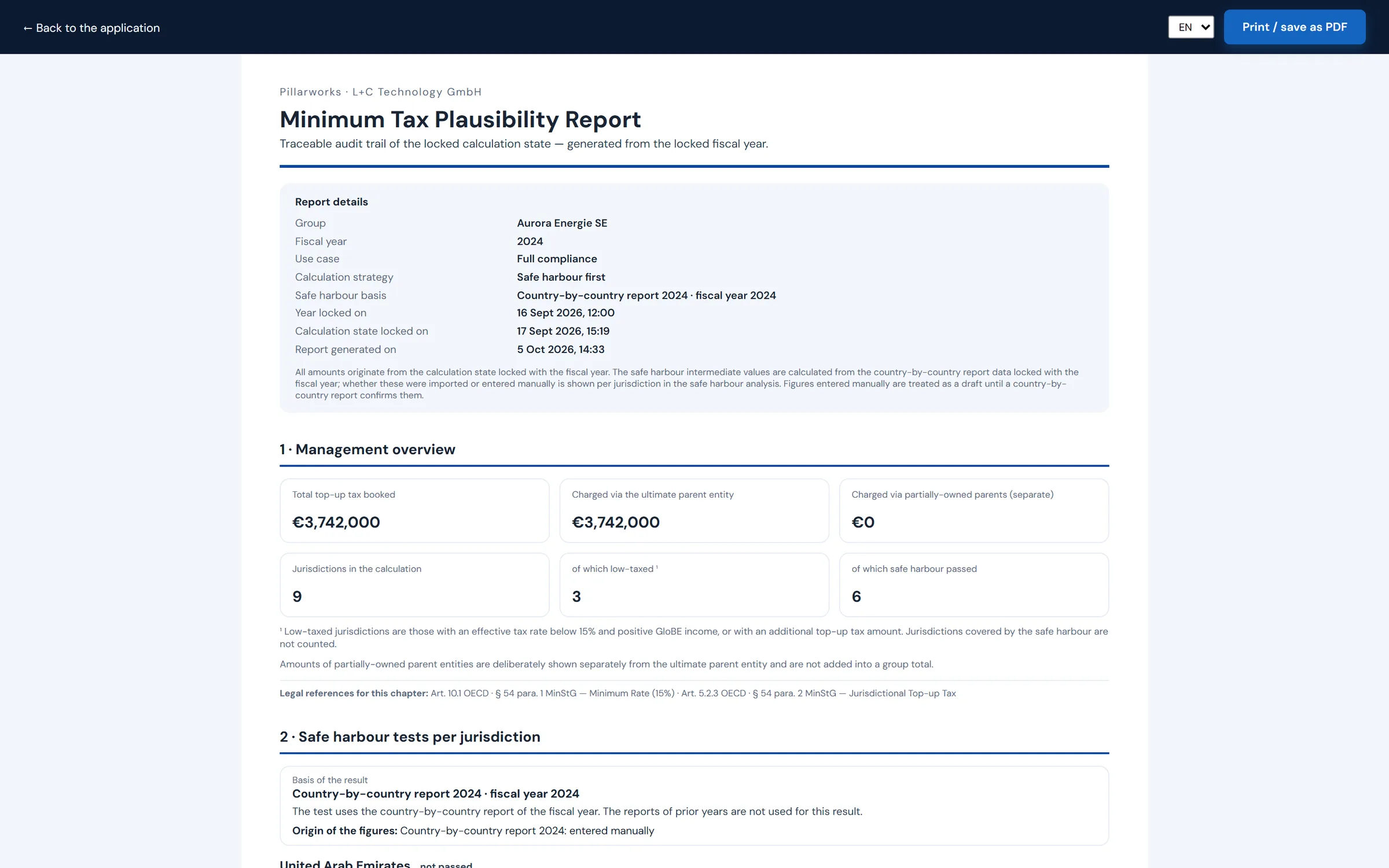
- 05Minimum Tax Plausibility Report
- A traceable record of the locked computation, printable as PDF.
- 06Next year
- Structure and master data carry over into the following year.
See the process live. Using the fictional group Aurora Energie SE.
One hour with one of the founders – from the import to the GloBE Information Return. You prepare nothing.